MU-NET is one of the wireless LANs available on the Musashino University campus.
※MU-NET will be disconnected after 5 minutes if authentication is not used.
Please connect it as a backup to the MUSIC network.
Here we will explain the connection using Windows 10, Windows 11, and macOS as examples.
Target of using MU-NET
Student
For student users, please refer to the following page.
University homepage, available services, and systems Available information services
To use the service, you will need the account and password listed on the “Account Notification” distributed by the university (same as for the Multimedia Classroom and MUSCAT).
Faculty and staff
To use the service, you will need the account and password listed on the “Account Notification” distributed by the university (similar to MUSCAT).
Flow of usage
To connect to MU-NET and use the Internet, you must select [SSID selection and authentication] and then [Web authentication].
Step 1 Set up the MU-NET connection on your laptop
Windows 11 connection procedure
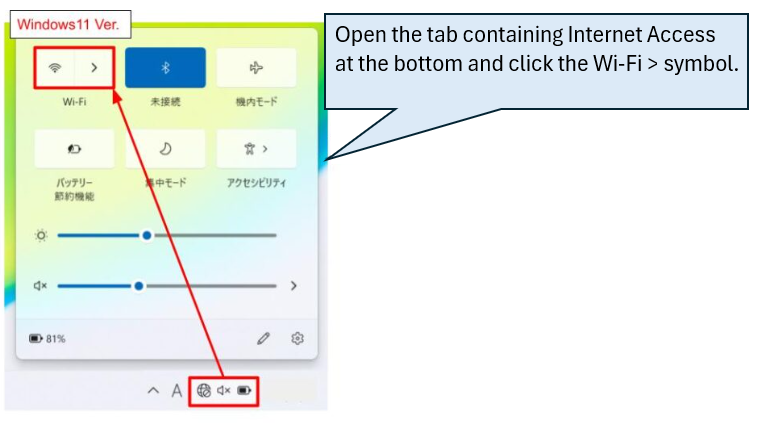
Step 1-1 Click the wireless LAN icon at the bottom right.
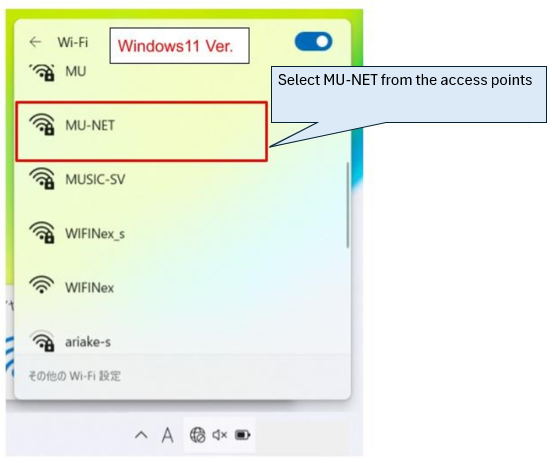
Step 1-2 Select MU-NET from the access point.
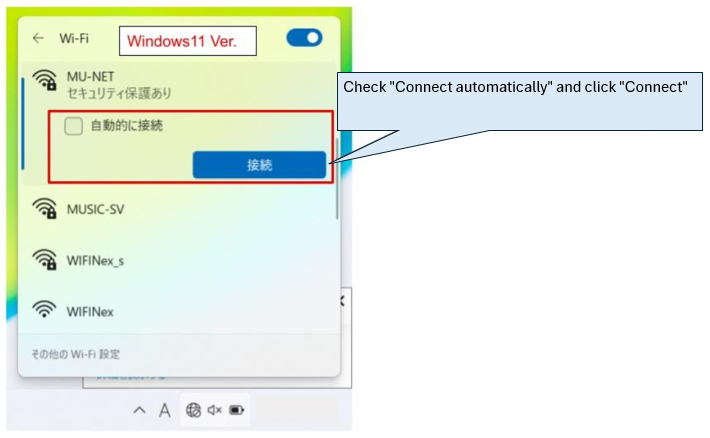
Step 1-3 Check the SSID and enter the security key.
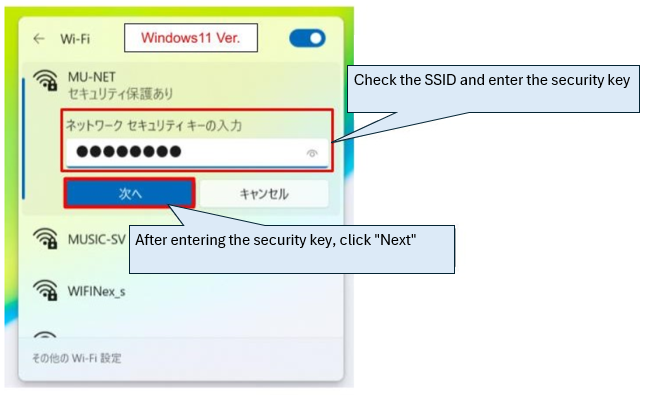
SSID and Security Key
| SSID name | Security Key |
| MU-NET | Munet36u |
macOS connection procedure
Step 1-1 Click the wireless LAN icon in the upper right corner and select MU-NET.
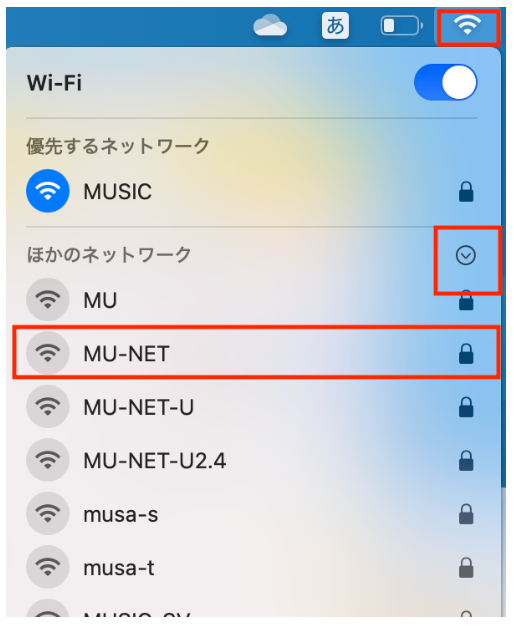
Step 1-2 Enter your security code.
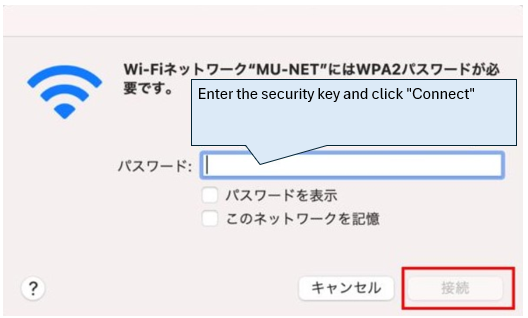
SSID and Security Key
| SSID name | Security Key |
| MU-NET | Munet36u |
Step 2 Perform web authentication
In the “User” field, enter the login account listed on the “Account Notification” distributed by Musashino University.
(Caution!!) For “User,” enter only “s” followed by your student ID number, do not enter the part starting with “@” (@stu.musashino-u.ac.jp).
In the “Password” field, enter the password listed on the “Account Notification” distributed by Musashino university.
And Click to “Log In”.
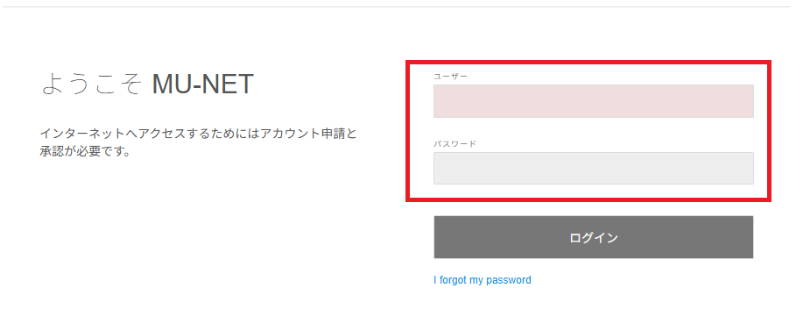
If the account you entered is correct, the browser home screen will appear and you will be able to view the homepage.
[Additional information]
■(As of May 2023) It has been confirmed that some models equipped with Android OS 10 or higher are unable to transition to the web authentication screen and are unable to connect to MU-NET.
■From April 1, 2025, a network called MU-NET-Free will be available in student halls, cafeterias, etc. to prevent the MU-NET service from being disconnected after a short time. When connecting, please enter the password listed in the file below. Please use the MUSIC network for classes.
<File storage location>
MUSCAT▶︎Electronic Cabinet▶︎IT/Network Environment ▶︎01.MU-NET-Free Free WiFi Service [MU-NET-Free].pdf